Spend less
Find free or less expensive software that still does the job you need.
Software discovery for Windows
Alternaut scans your installed apps locally on your PC, then finds credible alternatives based on what you want to improve: price, capability, or privacy. See the reasoning, trade-offs, and sources before you switch.
Free to use.Your installed-app scan stays on your computer.

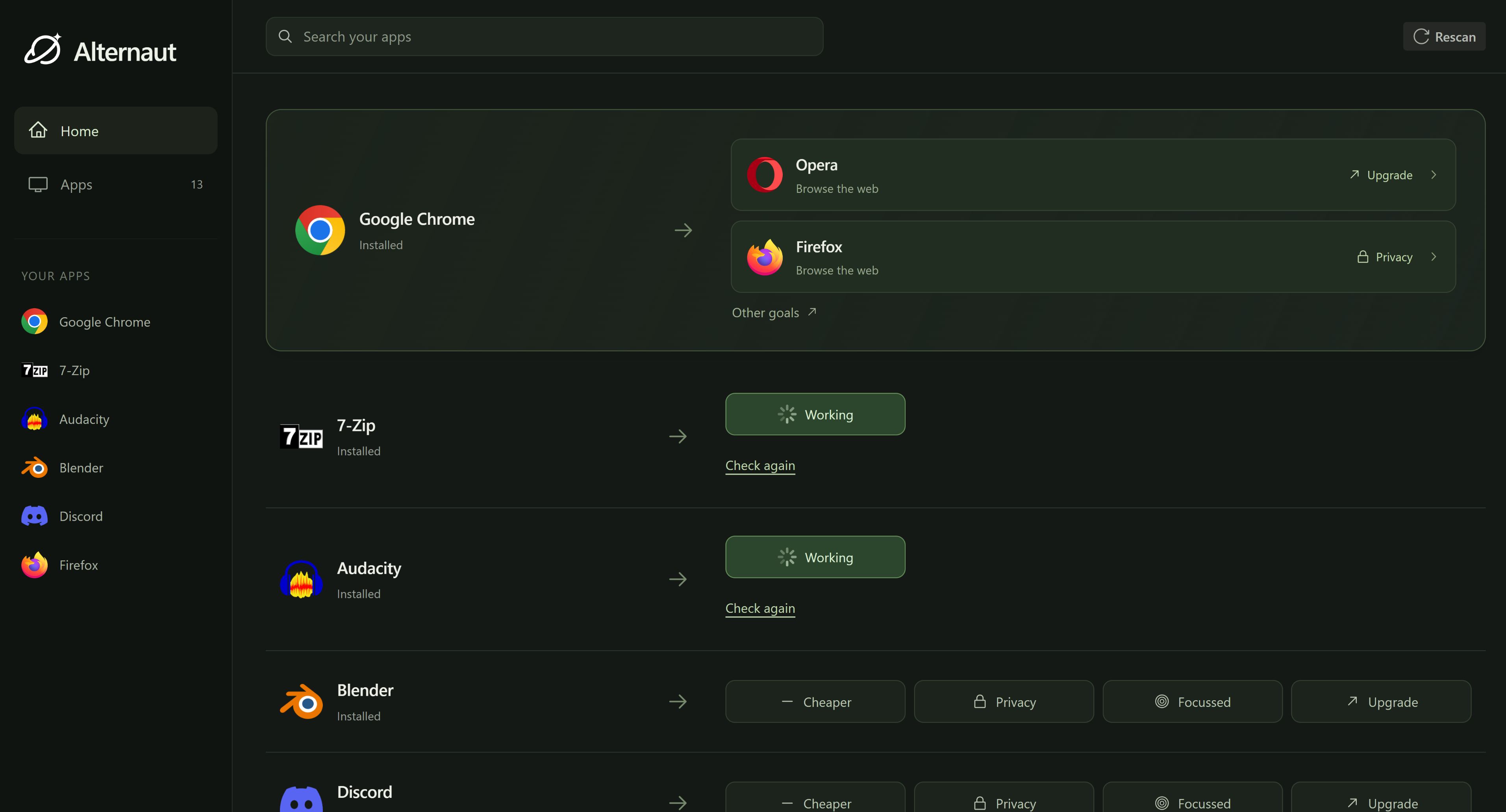
Choice, with context
There is almost always another tool, but finding the right one means comparing features, pricing, privacy, compatibility, and sources across dozens of websites. Generic alternative lists give everyone the same answers. Alternaut starts with the software already on your computer and the improvement you actually want.
Alternaut searches in a direction instead of throwing an endless list at you.
Find free or less expensive software that still does the job you need.
Discover a more capable or better-maintained tool when your current app no longer keeps up.
Explore alternatives with stronger privacy, local-first operation, or open-source foundations.
How it works
Alternaut identifies your installed software locally on your Windows computer, so you do not have to build a list by hand.
Select an app and tell Alternaut whether you want something cheaper, more capable, or more private.
Alternaut returns focused recommendations with the reason each option fits, the important trade-offs, and sources you can inspect.
Keep what already works, explore a promising alternative, or continue your search with the useful context already in place.
No unexplained match score. No hundred-item popularity list. Just a focused comparison you can verify.
The same app can be replaced for completely different reasons. A cheaper alternative is not automatically an upgrade, and a privacy-focused option may involve different trade-offs. Alternaut models the relationship between products and the reason for switching, so the recommendation matches the change you are trying to make.
Alternaut combines a growing software catalogue with a research system that discovers products, investigates alternatives, checks sources, removes duplicates, and records why one tool may be a better fit than another. That research becomes reusable product knowledge instead of disappearing after a single answer.
Alternaut uses the software on your PC to make discovery relevant. It does not need your documents, private window contents, or a complete activity history to recommend an alternative.
Your installed-app scan happens locally, and only the minimum context needed for a software lookup is sent to Alternaut.
Built for the GPT-6 Astra Challenge
We used GPT-6 Astra as the supervisor of a parallel research pipeline. It coordinated specialist agents that discovered software, investigated alternatives, checked web and GitHub sources, deduplicated results, created aliases, and expanded Alternaut's catalogue. The result is not a one-off research answer. It is a working Windows product backed by reusable software knowledge.
Before you download
The short version: the scan is local, recommendations stay inspectable, and Alternaut never makes the switch for you.
Alternaut reads the names of the software installed on your Windows PC. It does not need your documents, private window contents, or a complete activity history to recommend alternatives.
Yes. The installed-app scan runs locally on your computer. When you request alternatives, only the minimum app context needed for that software lookup is sent to Alternaut.
It starts with the change you want: spend less, upgrade, or improve privacy. Recommendations explain why each option fits, what the trade-offs are, and which sources support the comparison.
No. Alternaut helps you research and compare. You decide whether to keep your current app, try an alternative, or do nothing.
Yes. Alternaut is designed to show the reasoning, trade-offs, and sources behind its recommendations instead of asking you to trust an unexplained score.
Yes. Alternaut is currently free to download and use.
Tell Alternaut what should be better, and spend your time choosing from relevant options instead of researching from scratch.